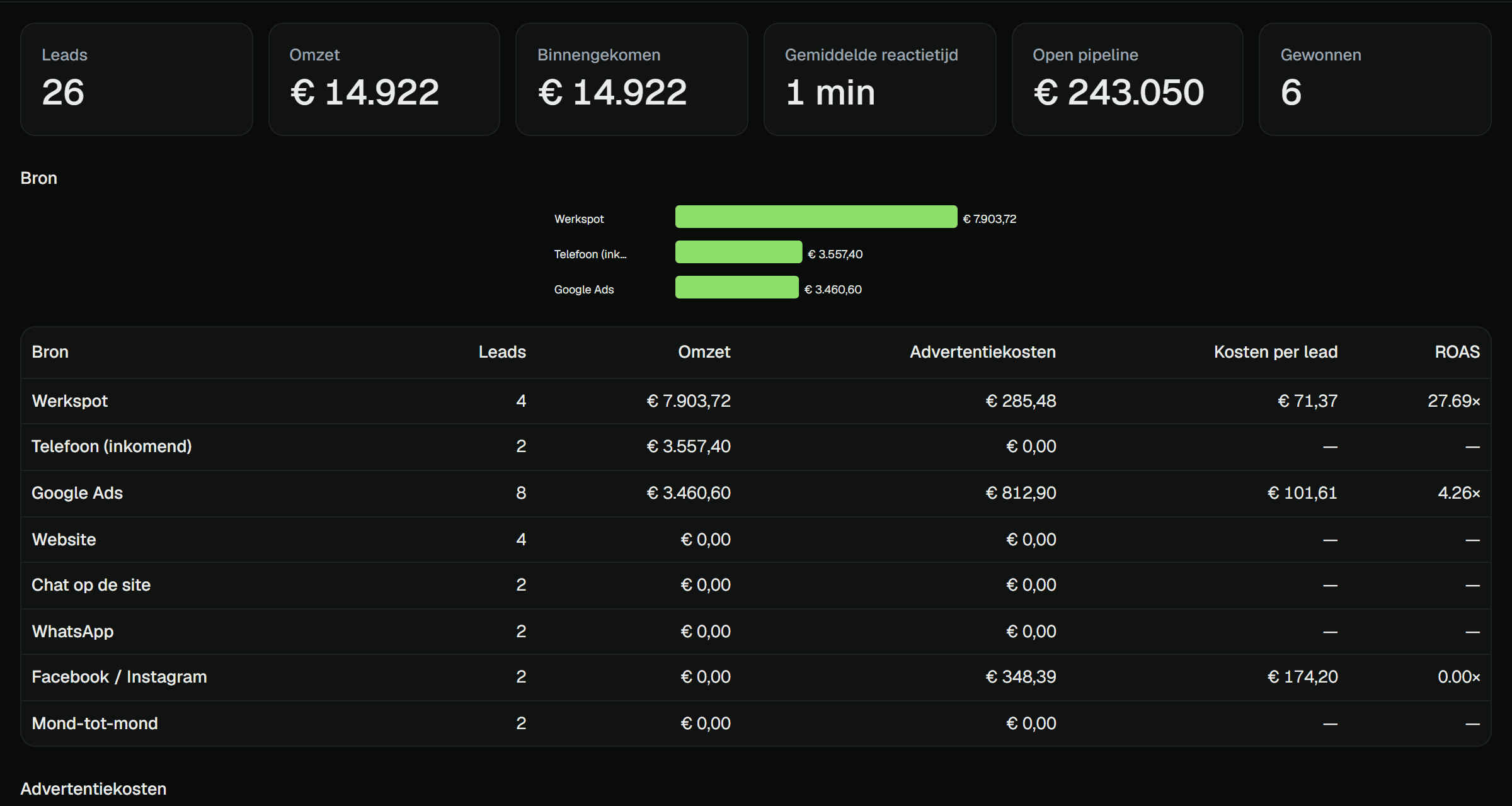
Which euro of ad spend became which job.
Because the lead, the quote and the payment live in one system, Cuna can follow a customer from the first click to the paid invoice. That's the number your retainer depends on, and you can finally show it.
The report your client reads, with your name at the top.
First touch to paid invoice
Every lead keeps its source, so revenue is attributed to the channel that actually produced it.
Cost per lead and ROAS
Log ad spend per source and period; Cuna does the division and shows what each channel returns.
Reply time
Median time from a customer's first message to the first answer. With the AI receptionist on, that's a number worth showing.
A monthly report on a schedule
A white-label PDF goes to the client on the first of the month, from your agency, without anyone building it.
Ask for a report in a sentence
"Leads per source this quarter against last." The AI builds it, and you can save it.
Saved reports
Keep the views you open every month and share them with the client's team.
Questions agencies ask
How is revenue attributed to a source?+
A contact's first touch records the source (Google Ads, Werkspot, the website, a phone call). When an invoice for that contact is paid, the revenue counts towards that source.
Where does ad spend come from?+
You enter spend per source and period, or log it monthly. Cuna spreads it over the reporting window and calculates cost per lead and return on ad spend.
Is the client report really white-label?+
Yes. It carries your agency's name and brand, goes out from your sender identity, and doesn't mention Cuna.
Can the client see the same numbers?+
Yes. The reports screen in their workspace shows the same figures, so the monthly report never contradicts what they see when they log in.
See your client's numbers in one screen.
Book a demo and we'll walk through a month of demo data, from ad spend to paid invoices, and send you the client report it produces.